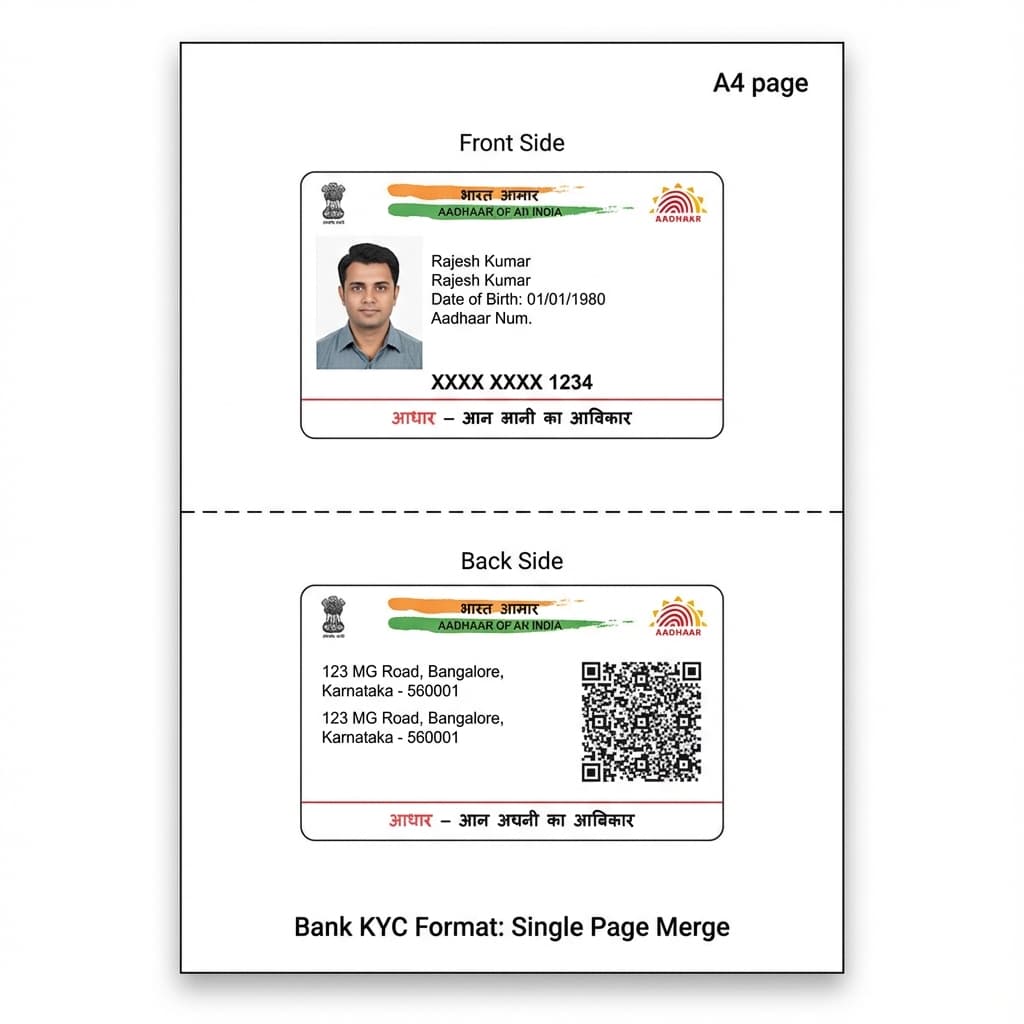
Reusable formats
Template Library
Keep repeated formats ready so teams can begin from the correct layout every time.
Workflow
Layout Pro keeps each print job simple: import assets, adjust layout, check output settings and print.
Production Workflow
Every page of the app is designed around repeatability: import the correct assets, position them once, preview output and print with confidence.
Reusable formats
Keep repeated formats ready so teams can begin from the correct layout every time.
Pixel-level setup
Move, resize, crop and align content visually before committing to print.
PVC + photo + A4
Save paper size, card size, orientation and quality choices for repeatable output.
Windows desktop
Design and print without depending on an active internet connection after setup.
Import images, data or Excel files and add logos and details.
Drag, resize and align each item to match the final card.
Choose the printer profile and print single or batch jobs.
Import
Design
Preview
The app is designed around a production workflow: quick import, simple positioning, preview control and dependable printing.
Import images, data or Excel files and add logos and details.
Drag, resize and align each item to match the final card.
Choose the printer profile and print single or batch jobs.